How to Download from Pinterest
A step-by-step guide to saving Pinterest media.
Copy the Link
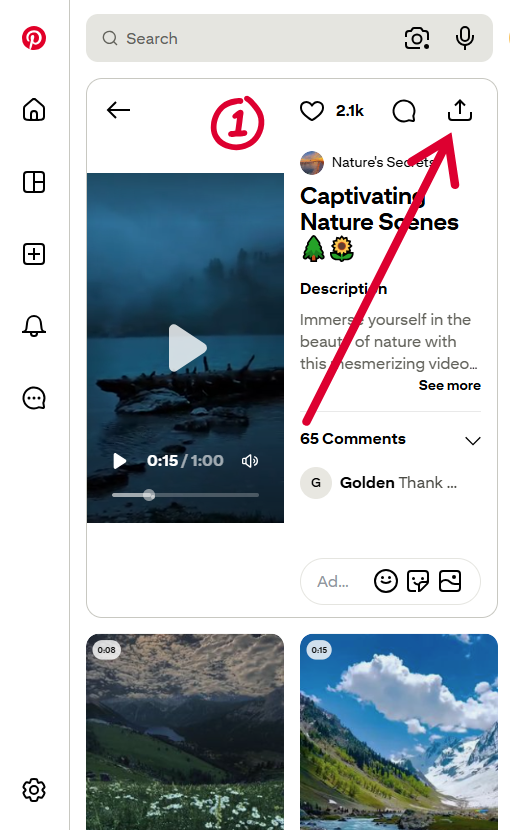
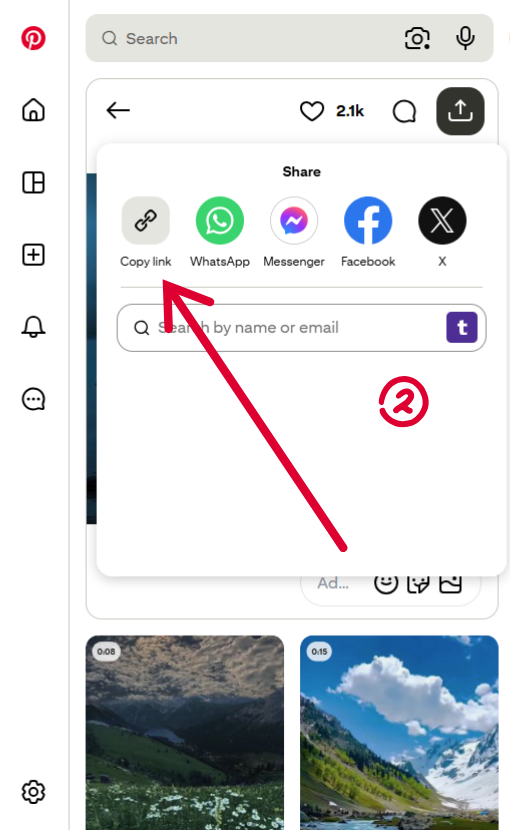
Open Pinterest, find the Pin you want to download, tap the Share icon, and select Copy Link.
Paste the URL
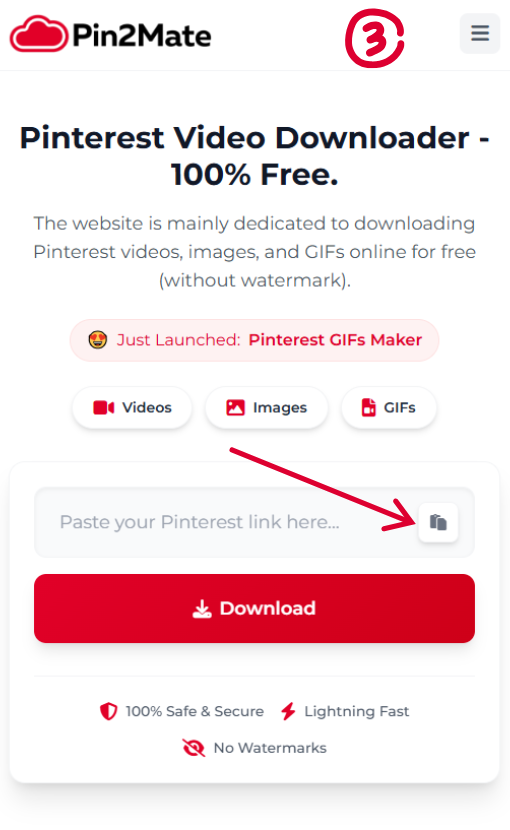
Return to our website and paste the copied Pinterest link directly into the search bar at the top of the page.
Download File
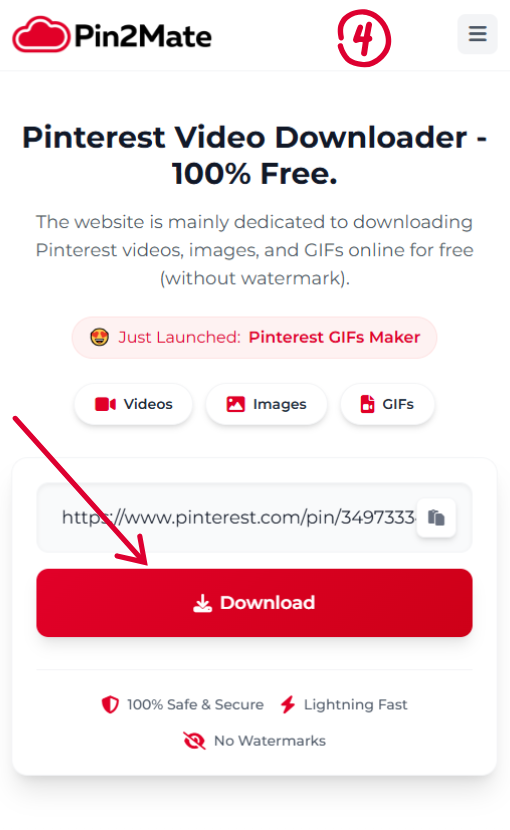
Click the Download button. Your high-quality video or image will instantly begin saving to your device.
How to Download Your Pinterest Videos Using Pin2mate.com
You saved it. You curated it. You should be able to actually use it.
Pin2mate.com lets you download your saved Pinterest videos as clean MP4 files no screen recording, no quality loss.
Here's exactly how it works.
Step 1 Copy the Pin Link
Open Pinterest and find the video pin you want to download. Tap the share arrow (on mobile it's at the bottom of the pin, on desktop it's in the top-right corner). Hit Copy Link.
On desktop, you can also grab the URL straight from your browser's address bar faster, skips the share menu entirely.
Follow the instructions in the images below for reference.
Step 2 Paste It Into Pin2mate
Go to Pin2mate.com. Paste the copied link into the input box on the homepage.
Step 3 Download Your File
Hit the download button. Pin2mate pulls the video and gives you the highest available quality usually 1080p. Save it to a project folder on your device.
Done. The whole thing takes under 20 seconds.
A Few Things Worth Knowing
Works on both mobile and desktop
Handles All Types Of Pinterest Media Such As MP4 videos, Images and GIFs
Built for downloading your own saved content references, mood board material, anything you need offline
Video Tutorial
Watch our quick guide to see how easy it is to download media.
Frequently Asked Questions
Save any video from Pinterest
Instantly download your favorite pins in maximum quality. No registration required, unlimited downloads.